“It's the best email tool I've found for helping people with ADHD.”

Aaron, Austin Texas USA

Your inbox organizes itself.

Emails are labeled, sorted, and archived automatically, so clutter never piles up.

One daily digest. Everything that matters.

Your briefing surfaces what's important and summarizes the rest, no inbox scrolling required.

Here's how it works

  1. Analysis & Plan

  1. Analysis & Plan

  1. Analysis & Plan

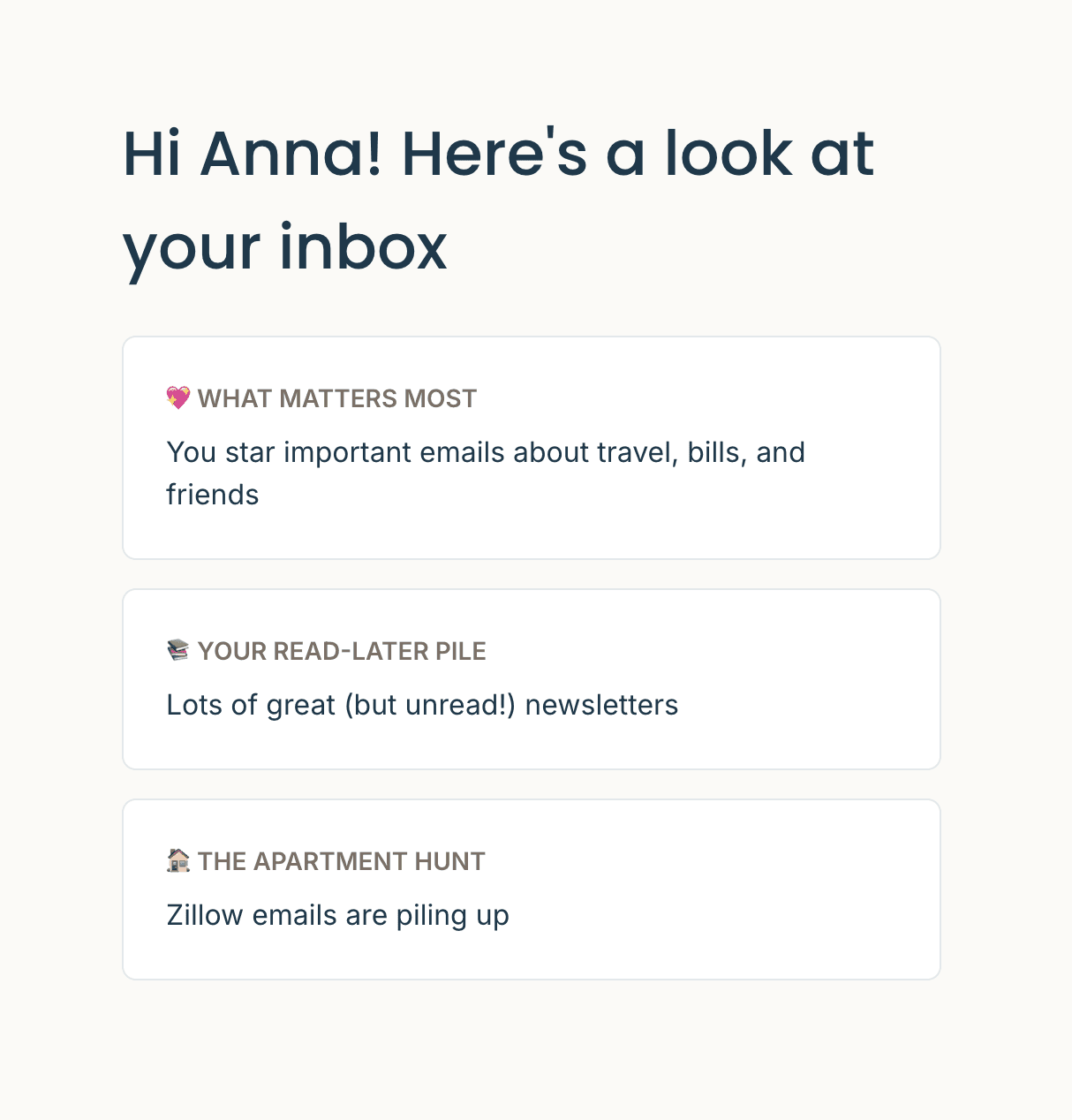
MailSynth scans your inbox to understand how you use email: what matters most, what's causing clutter, and how to organize it all.

Icon

Your email patterns analyzed

Icon

Your email patterns analyzed

Icon

Your email patterns analyzed

Icon

Important senders identified

Icon

Important senders identified

Icon

Important senders identified

Icon

Personalized cleanup plan

Icon

Personalized cleanup plan

Icon

Personalized cleanup plan

BG
BG
  1. Analysis & Plan

MailSynth scans your inbox to understand how you use email: what matters most, what's causing clutter, and how to organize it all.

Icon

Your email patterns analyzed

Icon

Important senders identified

Icon

Personalized cleanup plan

BG
  1. Auto-Labeling

  1. Auto-Labeling

  1. Auto-Labeling

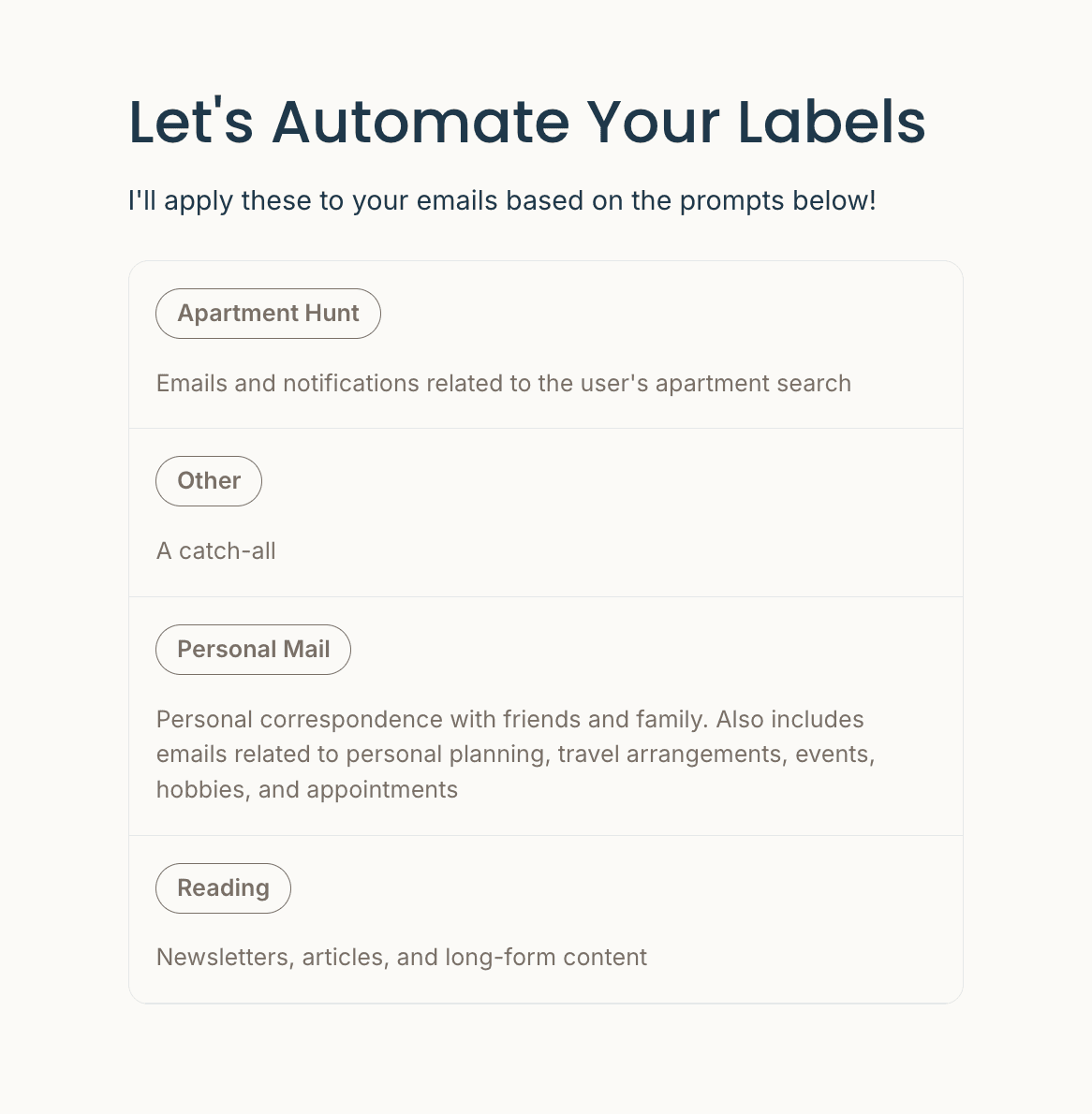
New labels are created automatically. Existing labels get cleaned up too: merged, renamed, or retired—so your sidebar finally makes sense.

Icon

Smart new labels suggested

Icon

Smart new labels suggested

Icon

Smart new labels suggested

Icon

Messy old labels merged

Icon

Messy old labels merged

Icon

Messy old labels merged

Icon

Sidebar clutter gone

Icon

Sidebar clutter gone

Icon

Sidebar clutter gone

BG
BG
  1. Auto-Labeling

New labels are created automatically. Existing labels get cleaned up too: merged, renamed, or retired—so your sidebar finally makes sense.

Icon

Smart new labels suggested

Icon

Messy old labels merged

Icon

Sidebar clutter gone

BG
  1. Auto-Archiving

  1. Auto-Archiving

  1. Auto-Archiving

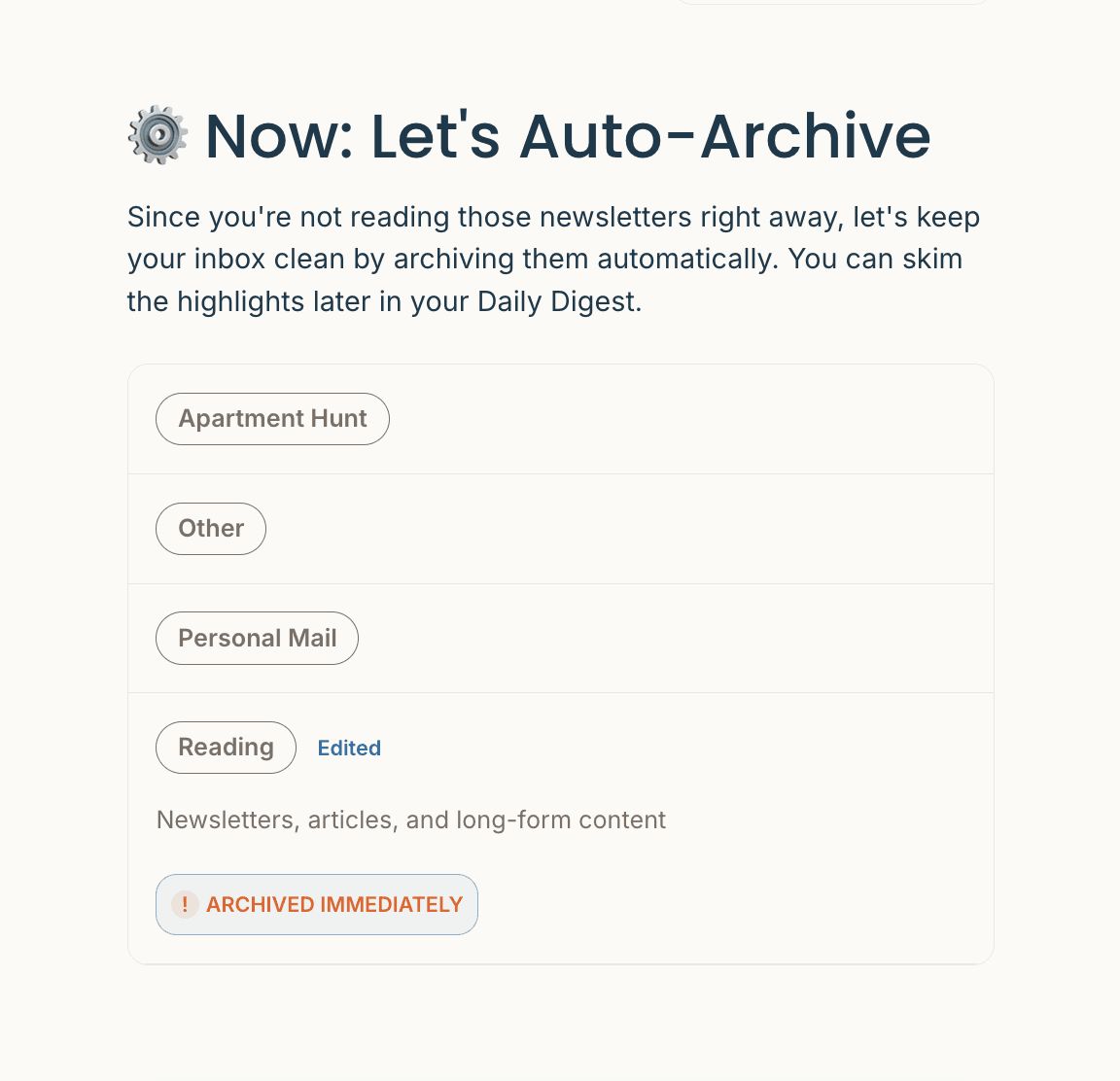
Clutter disappears before you see it. Set rules for what gets archived and when, so your inbox only shows what actually needs attention.

Icon

Archive rules you control

Icon

Archive rules you control

Icon

Archive rules you control

Icon

Timed cleanup options

Icon

Timed cleanup options

Icon

Timed cleanup options

Icon

Inbox zero, maintained

Icon

Inbox zero, maintained

Icon

Inbox zero, maintained

BG
BG
  1. Auto-Archiving

Clutter disappears before you see it. Set rules for what gets archived and when, so your inbox only shows what actually needs attention.

Icon

Archive rules you control

Icon

Timed cleanup options

Icon

Inbox zero, maintained

BG

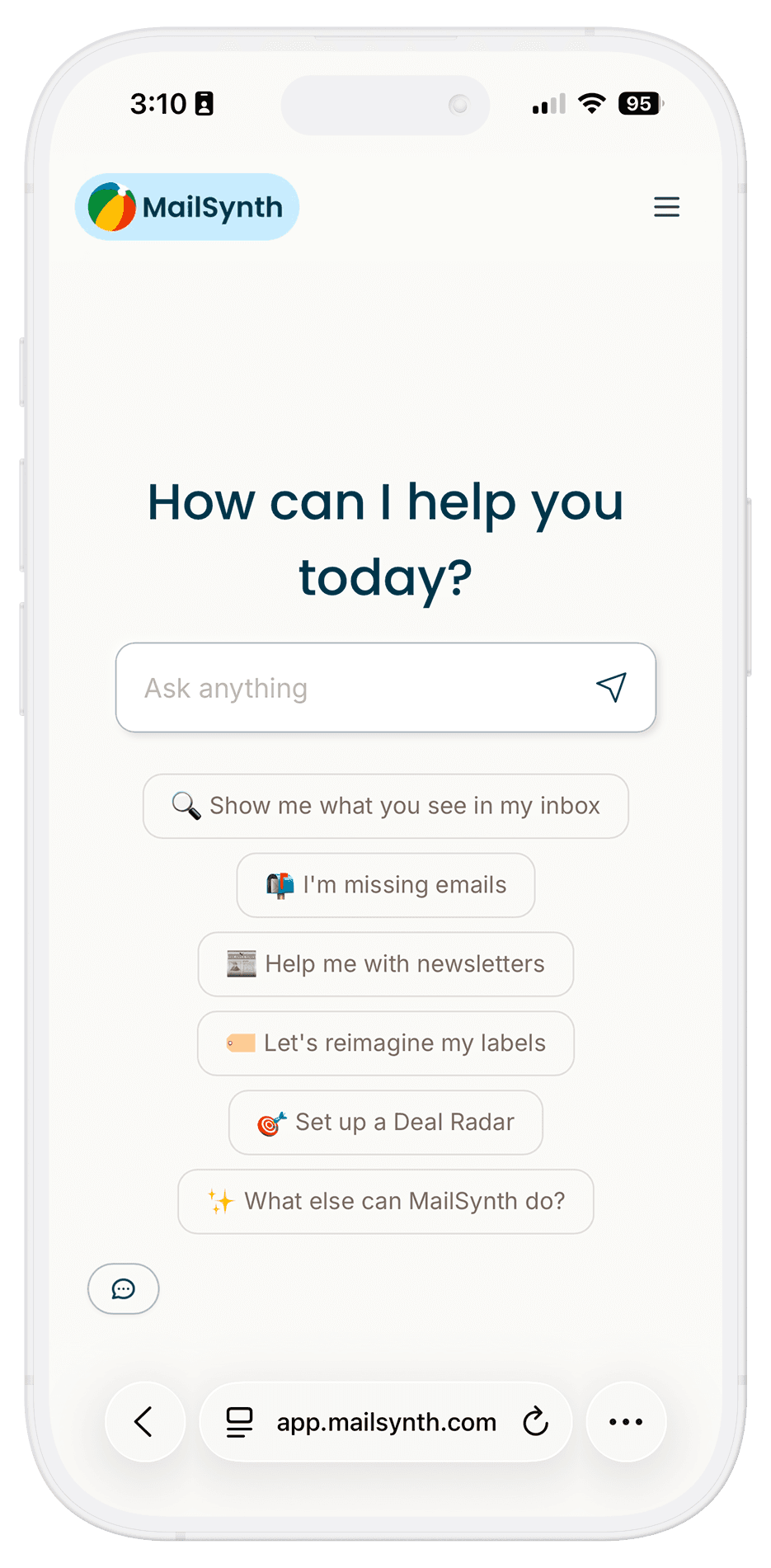
Chat with Ada in the web app

Adjust labels, change priorities, or ask questions—all in plain English.

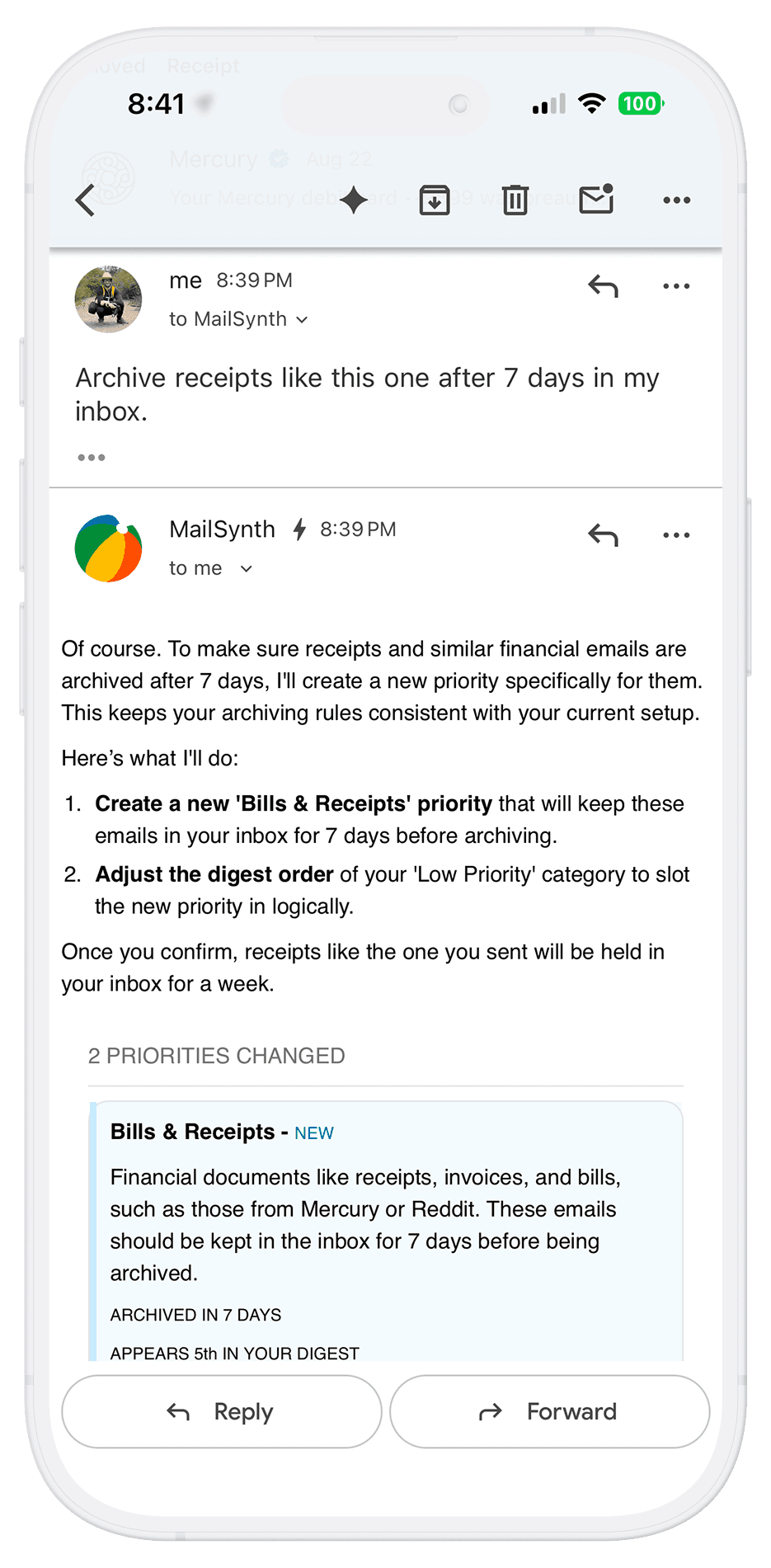
Or just stay in Gmail

Reply to your digest or forward any email to Ada. No app needed.
Your instructions
"Prioritize deadlines and emails from Google. Summarize promos with just the discount % and category. Keep newsletter summaries to one line."
Your digest
Important
Google
Team sync moved to 3pm tomorrow
Mom
Call me when you're free
Deals
Gap
50% off everything
Nike
30% off running shoes
Newsletters
Substack Weekly
3 new posts from your subscriptions
Your instructions
"Prioritize deadlines and emails from Google. Summarize promos with just the discount % and category. Keep newsletter summaries to one line."
Your digest
Important
Google
Team sync moved to 3pm tomorrow
Mom
Call me when you're free
Deals
Gap
50% off everything
Nike
30% off running shoes
Newsletters
Substack Weekly
3 new posts from your subscriptions
Your instructions
"Prioritize deadlines and emails from Google. Summarize promos with just the discount % and category. Keep newsletter summaries to one line."
Your digest
Important
Google
Team sync moved to 3pm tomorrow
Mom
Call me when you're free
Deals
Gap
50% off everything
Nike
30% off running shoes
Newsletters
Substack Weekly
3 new posts from your subscriptions
Your instructions
"Prioritize deadlines and emails from Google. Summarize promos with just the discount % and category. Keep newsletter summaries to one line."
Your digest
Important
Google
Team sync moved to 3pm tomorrow
Mom
Call me when you're free
Deals
Gap
50% off everything
Nike
30% off running shoes
Newsletters
Substack Weekly
3 new posts from your subscriptions

Your dynamic daily digest

Set custom instructions for how emails are summarized, ordered, and delivered—by label, priority, or whatever matters to you.

Use cases

Three ways MailSynth keeps your inbox under control.

Built for ADHD brains

Finally, inbox calm

MailSynth filters the chaos so your brain doesn't have to. Stay organized without the mental load.

Never miss a deal

Save money on autopilot

Tell MailSynth what discounts to watch for. Catch the sales you care about, skip the rest.

For newsletter lovers

Read more, scroll less

Get summaries of every newsletter in your digest. Subscribe to everything—only read what earns it.

Privacy-first architecture

Your emails stay private. By design.

Your emails stay private. By design.

We built MailSynth so your emails never leave Google servers. Everything runs inside Google's infrastructure, and we we utilize Google Gemini for processing.

We built MailSynth so your emails never leave Google servers. Everything runs inside Google's infrastructure, and we we utilize Google Gemini for processing.

100% Google Infrastructure
CASA Tier 2 Verified
TAC Security Audited
Zero Third-Party Access
100% Google Infrastructure
CASA Tier 2 Verified
TAC Security Audited
Zero Third-Party Access
Your Data
🔒 Never leaves Google's ecosystem
Your Data
🔒 Never leaves Google's ecosystem

More info

FAQ

We're here to answer all your questions.

Is it complicated to set up?

Do you store or sell my data?

What if I have 100K emails?

Can I cancel my subscription at any time?

What if I don't like the results, can I undo what MailSynth organized?

Is it complicated to set up?

Do you store or sell my data?

What if I have 100K emails?

Can I cancel my subscription at any time?

What if I don't like the results, can I undo what MailSynth organized?

Is it complicated to set up?

Do you store or sell my data?

What if I have 100K emails?

Can I cancel my subscription at any time?

What if I don't like the results, can I undo what MailSynth organized?

Pricing

Try MailSynth Free, Stay for the Clarity

Try MailSynth Free, Stay for the Clarity

30 days Free trial
$9/month

+ VAT where applicable

No credit card required
Start Free Trial

What's included

24/7 access to Ada, your AI assistant
9,000 emails processed per month
Custom digest with smart links
Unlimited label organization
Unlimited inbox cleanups
Deal radar for savings alerts